We design, build and maintain iOS and Android apps for customers, field teams and new products, from the first user flow to the store listing and every update after it.
A translator that works without a connection, a way to message a driver you can only see by their plate, and a journal that asks the right question at the right time. We build for clients the way we build for ourselves.
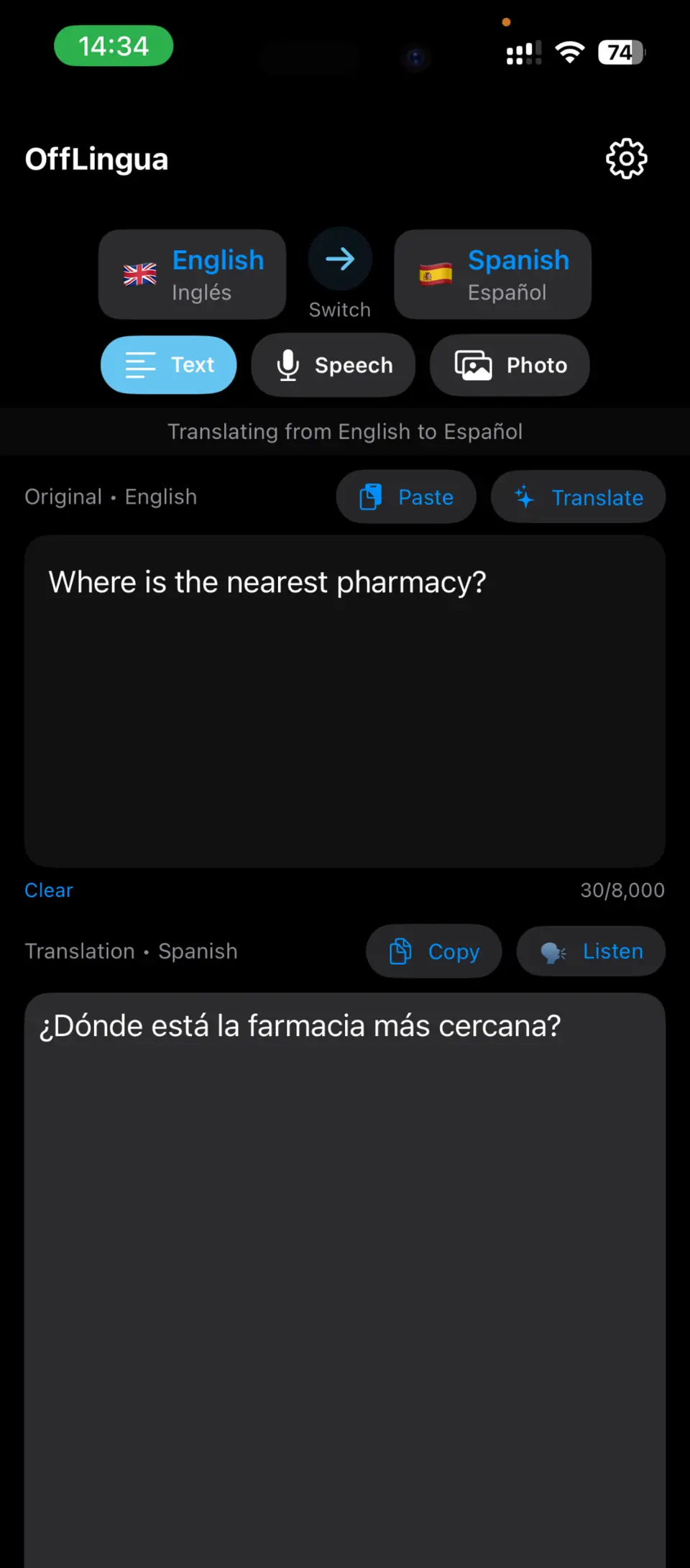
OffLingua · Text translation on the device
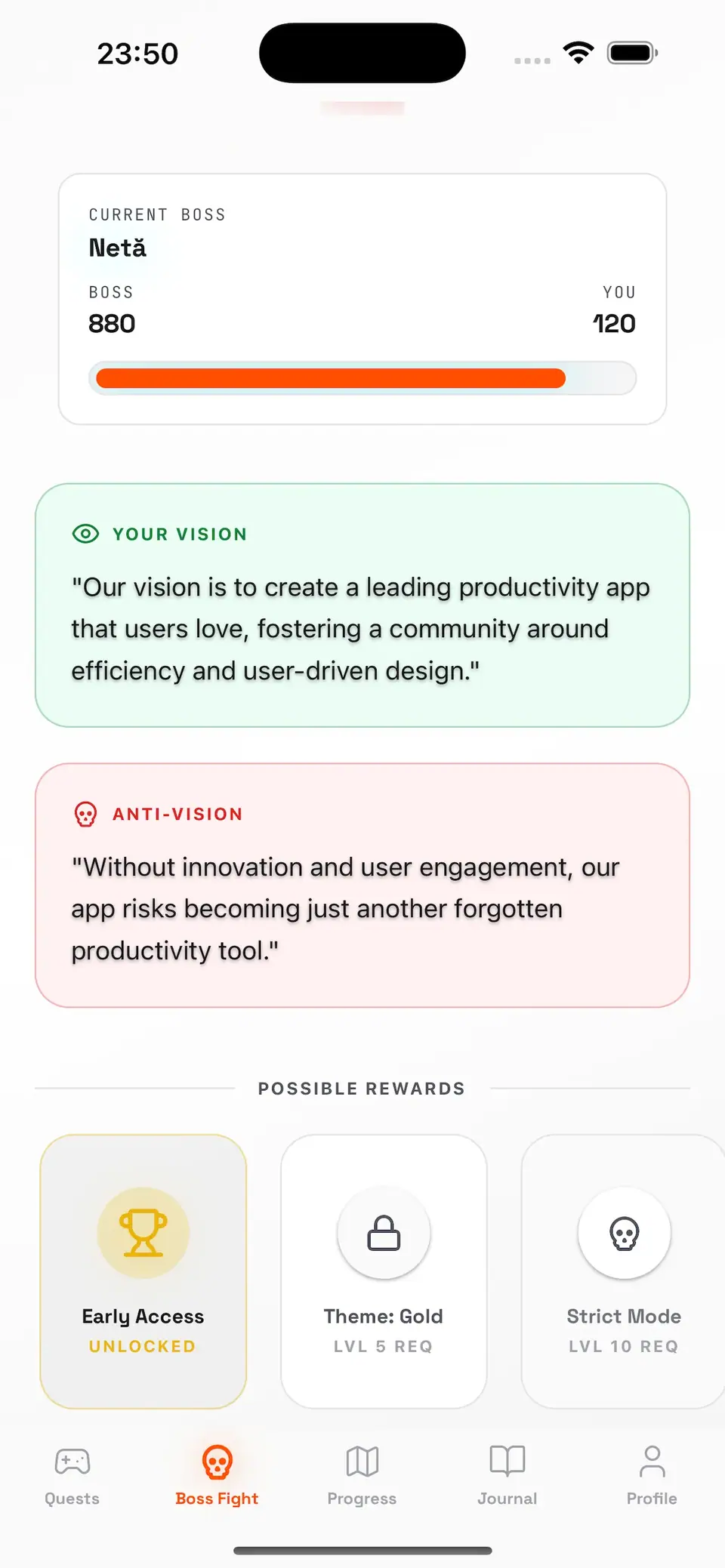
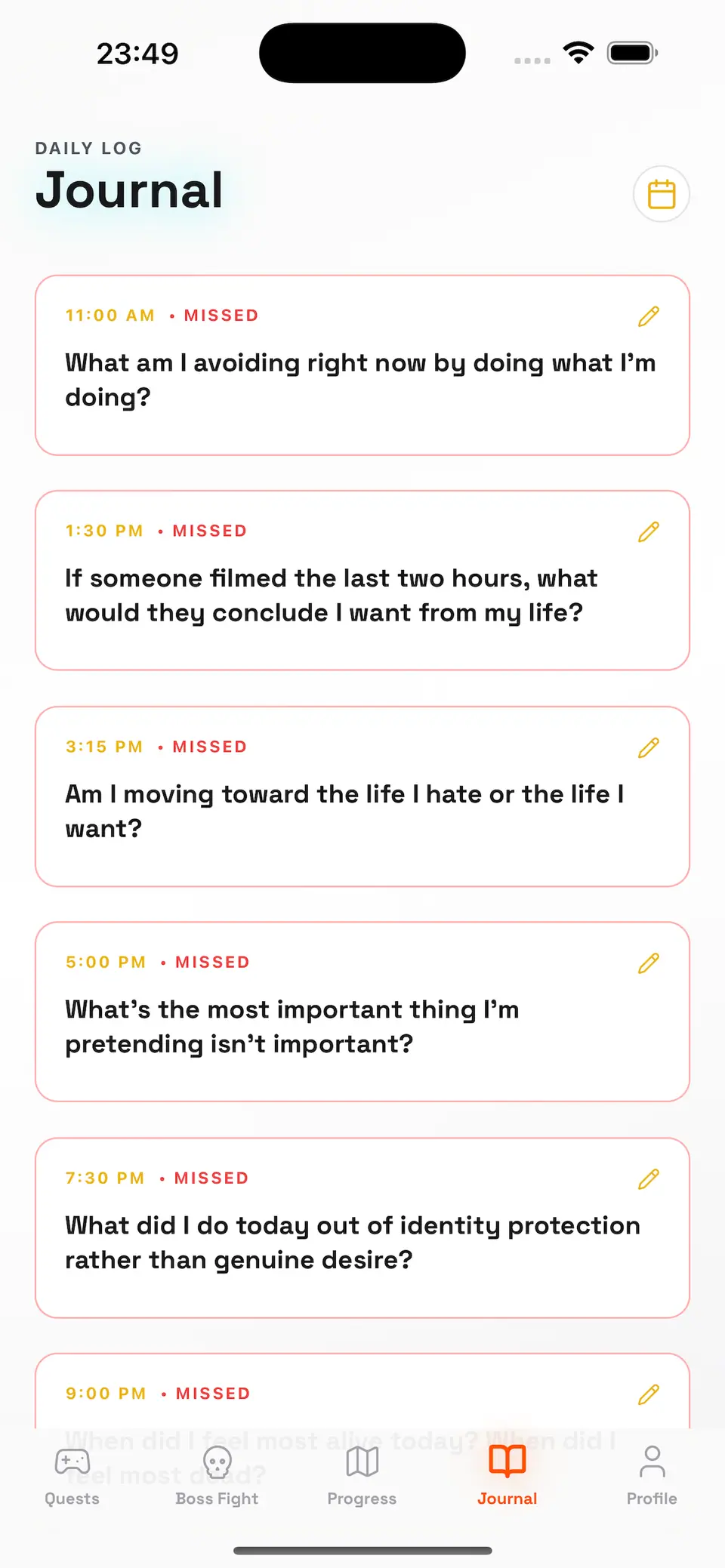
AntiVision · Monthly challenge, vision and rewards
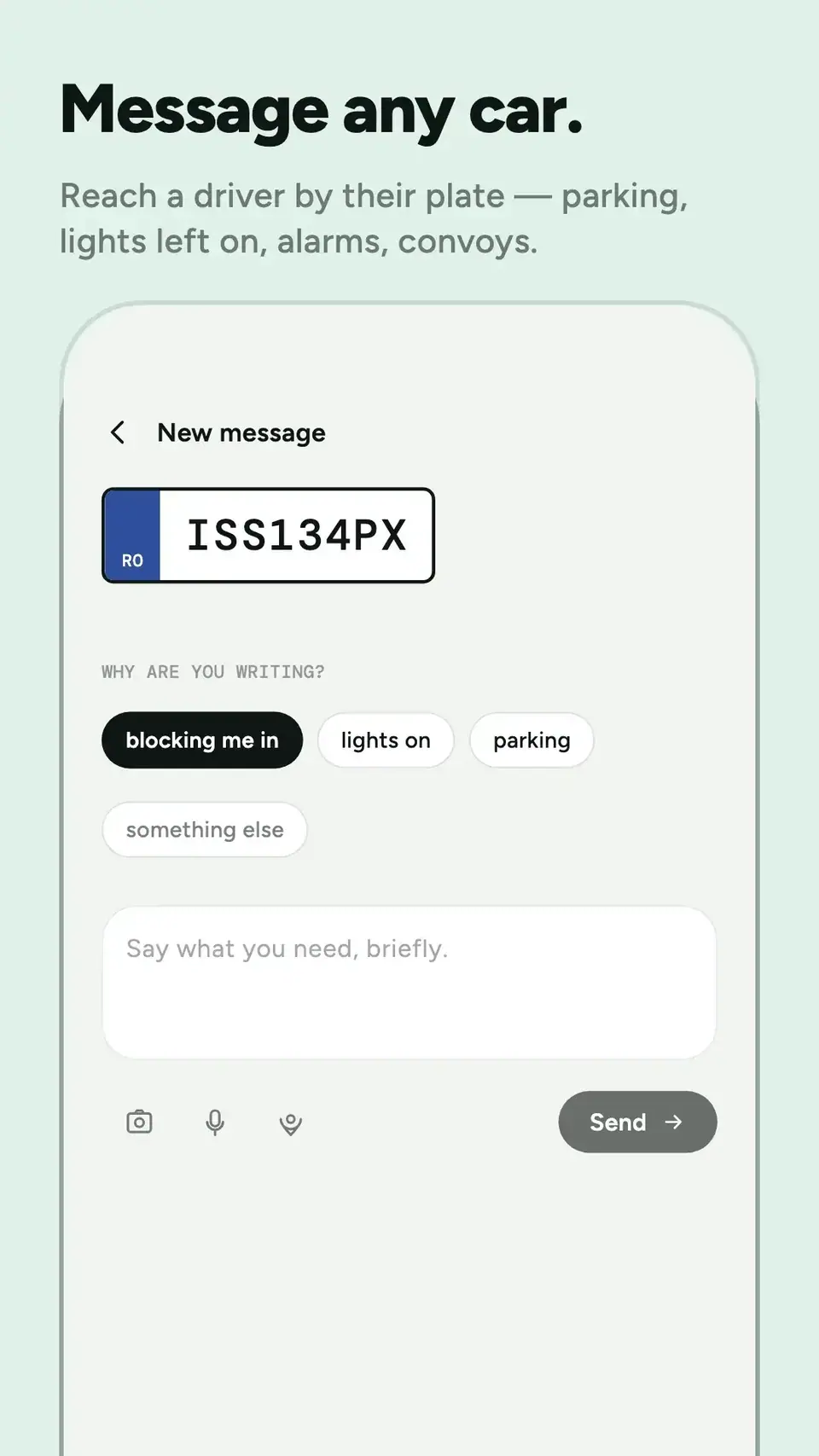
Store image · Android
re:plyte · Store listing image we produced
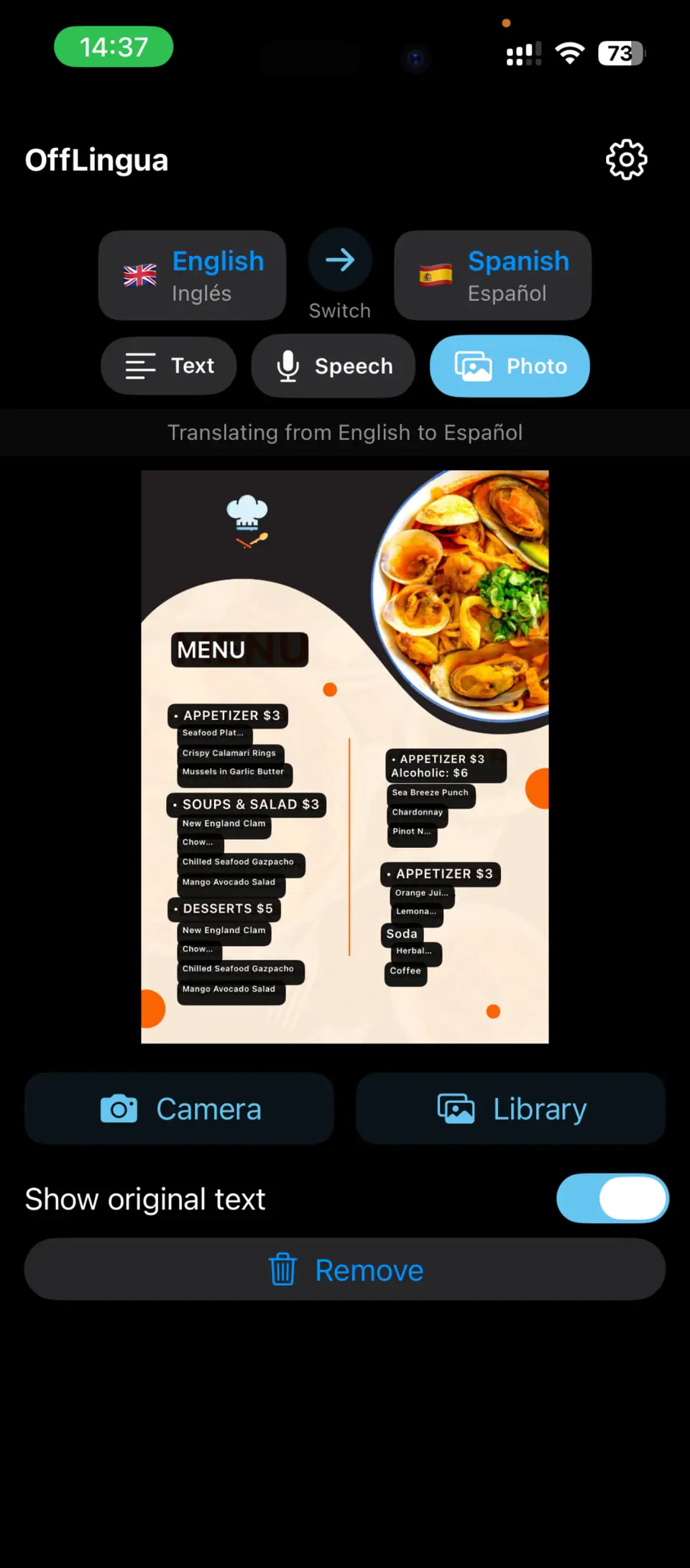
OffLingua · Menus and signs, read through the camera
AntiVision · A journal that asks at the right time
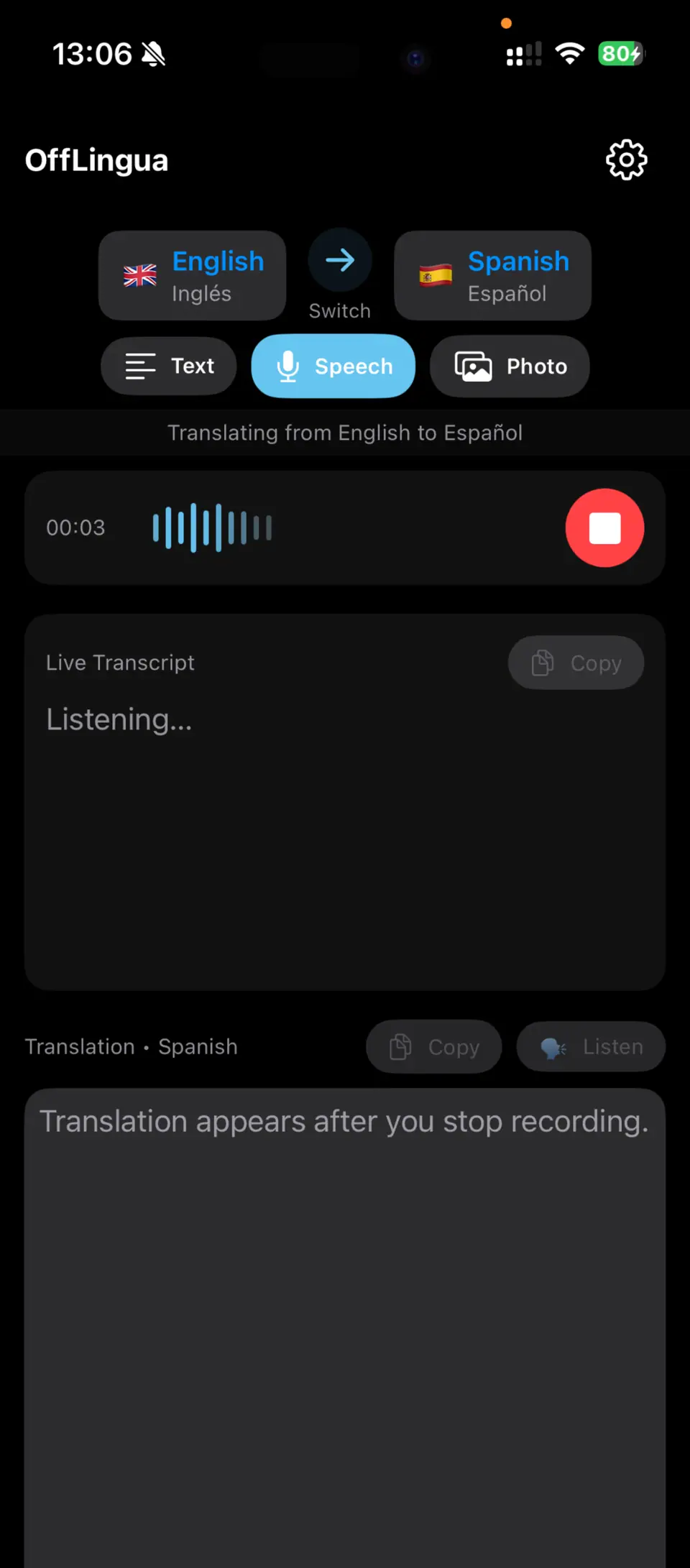
OffLingua · Speech, transcribed and translated offline
1 / 6
On-device AI
OffLingua
Text, photo and voice translation on iPhone that runs entirely on the device and keeps working offline once the language model is downloaded. Camera text recognition, language switching and local speech recognition in one focused app.
A good screen needs a dependable API, and a good launch needs a plan for what follows. We take on the whole thing or the part you need.
Product & UX
Who the app is for, the one task the first release must do well, user flows and a clickable prototype you can put in front of real users.
discovery · flows · prototype
iOS & Android, phone and tablet
Native-feeling navigation, camera, maps and notifications designed in from the start, and accessibility designed to meet the EU rules that apply to shopping, travel-booking and banking apps since 28 June 2025.
iOS · Android · phone & tablet
Customer apps
Accounts, ordering, booking and payments, with in-app account deletion as both stores require, and the states people actually hit: no signal, expired session, a payment that needs a second try.
accounts · orders · bookings · card and in-app payments
Field & offline work
Forms, photos, signatures and maps that save on the phone first and sync when the connection returns, with clear rules for conflicts.
offline storage · sync · field forms
Backend & integrations
APIs, sign-in, push notifications and the link to your ERP, CRM or IoT platform, including Bluetooth Low Energy sensors read on site.
API · auth · push · BLE
AI on the device
Local models when the workload and the device allow it: we test downloads, memory, latency and offline behaviour, and use hosted AI where it fits better.
on-device models · text · images · voice
1 / 6
9:41
Saved on this phone · 3 waiting to syncSynced
Job 14
Boiler service
12 Example Street
Unit B-07last service 12 Mar
Pressure
1.4 bar
Flue temp
68 °C
Photo 1Photo 2
Customer signature
Complete job
NextJob 15 · Pump check
JobsMapQueue
Example data
03 · Example scenario
An app that does a day’s work, signal or not.
A maintenance team visits sites with patchy coverage. The app downloads the day’s jobs and equipment history, records readings, photos and signatures offline, and syncs when the phone reconnects. Completed jobs update the ERP, and the customer receives a signed report the same day.
01
MorningJobs and equipment history download
02
On site, offlineReadings, photos, signature saved on the phone
03
Back in coverageThe queue syncs, conflicts are shown, not overwritten
04
In the officeThe job closes in RDCopilot ERP and the signed report goes out
We ship native iOS when the app leans on the device, such as on-device translation or camera work, and a single cross-platform codebase when iOS and Android need the same screens. Our own apps are live: OffLingua and AntiVision on the App Store, re:plyte on Google Play. We explain the trade-off before you commit.
Native iOS
Native iOS UI
On-device frameworks
TestFlight
App Store Connect
on-device inference
Backend & data
REST APIs
push notifications
offline storage & sync
crash reporting
EU hosting
Android
Google Play Console
internal and closed testing
Cross-platform
one codebase for iOS and Android
What we test onDevice testing on the phones and tablets, screen sizes and OS versions you agree to support, before every store release.
08 · How pricing works
A fixed quote to build. A monthly plan to keep it running.
one-off
Project
Quoted after discovery, for an agreed scope. You see what is in the first release and what is not before work starts. Changes are re-scoped in writing; extra work is billed at a fixed hourly rate.
monthly
Care plan
A monthly fee covering hosting of the app’s backend in the EU, OS and dependency updates, crash monitoring, store upkeep and support in English and Romanian. A data processing agreement under GDPR Article 28 covers the backend we host.
Scope a first mobile release around one complete user task, essential backend dependencies, interrupted journeys and acceptance on the devices you support.
Design offline mobile work with durable local saves, queued synchronization and field-specific conflict rules, tested through real connectivity interruptions.
Prepare app review access, accurate store information, upgrade tests and operating ownership so release and maintenance are planned before the final sprint.
A practical workflow for business push alerts: choose which events deserve a notification, map urgency to iOS and Android levels, show live context on open and plan acknowledgement and escalation.
Use the OffLingua engineering example to scope model downloads, local AI readiness, device testing and explicit data boundaries for a new mobile product.
Design purposeful messaging with clear reasons, limited visible account details and recipient controls, using re:plyte as an owned mobile product example.
Read the note →
1 / 6
10 · Questions
Before you ask for a quote.
How much does an app cost?
It depends on the screens, the platforms and what the app connects to. We give a fixed quote after discovery, once the first release is agreed, so the number matches the scope you have seen.
How long until it is in the stores?
Discovery ends with a dated plan. A first release built around one complete task is planned in short cycles, and you install a test build on your own phone from the first cycles. Apple reviews most submissions within 48 hours. Google Play can take seven days or longer for some accounts, so we build review time into the plan.
What should I prepare before we talk?
Who will use the app and what they need to get done. A sketch, a brief or the app you already have helps, as do the systems it must connect to and your timing. An early idea is enough to start.
Who owns the code and the store accounts?
It is written into the contract before the build starts: who holds the code and what is handed over with the release. We recommend publishing under your company’s own Apple Developer and Google Play organization accounts. Both need a D-U-N-S number, which is free to obtain. Store fees go to the account holder: Apple charges 99 USD a year (billed in local currency) and Google Play US$25 once.
Native or cross-platform?
Native when the app depends on the camera, Bluetooth, on-device AI or very smooth interaction. One cross-platform codebase when iOS and Android need the same screens and time to market matters more. We have shipped both, and we recommend one in discovery and explain why.
Can you work with our in-house team or take over an existing app?
Yes. We can build alongside your developers, review an app someone else built, or take it over completely, starting with a written review of the code, the backend and the store setup.
What happens after launch?
A monthly care plan keeps the app current with each year’s iOS and Android requirements (since 28 April 2026 Apple accepts only builds made with Xcode 26 or later, and since 31 August 2026 Google Play updates must target Android 16 or higher), watches crashes, maintains the store listings and adds small improvements. Bigger features are quoted separately.
01Discover
02Design
03Build
04Release
05Maintain
Your app starts here
Stop 01 · Discover
Tell us about the app you have in mind.
Who will use it, what they need to get done and where you are today. We reply with the questions that matter and a practical first step, usually a short discovery.